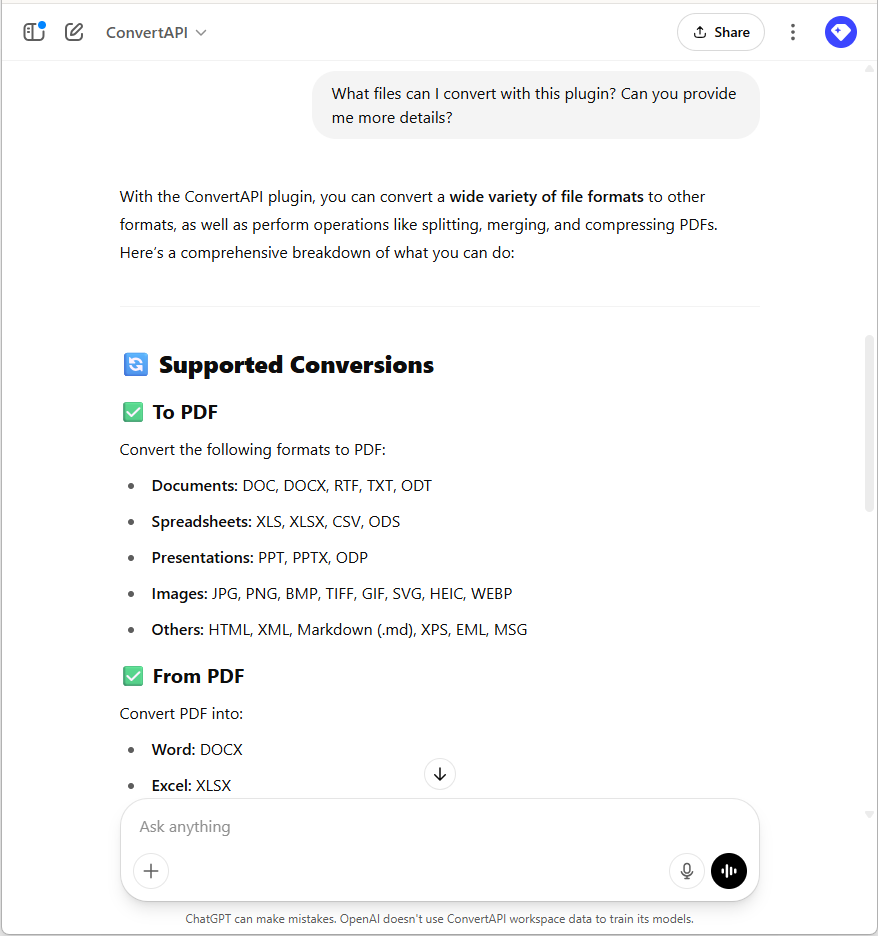
Introduced ChatGPT plugin
We've launched the ConvertAPI ChatGPT plugin, now available in the GPT Store. Find it by typing "ConvertAPI" in the search bar.
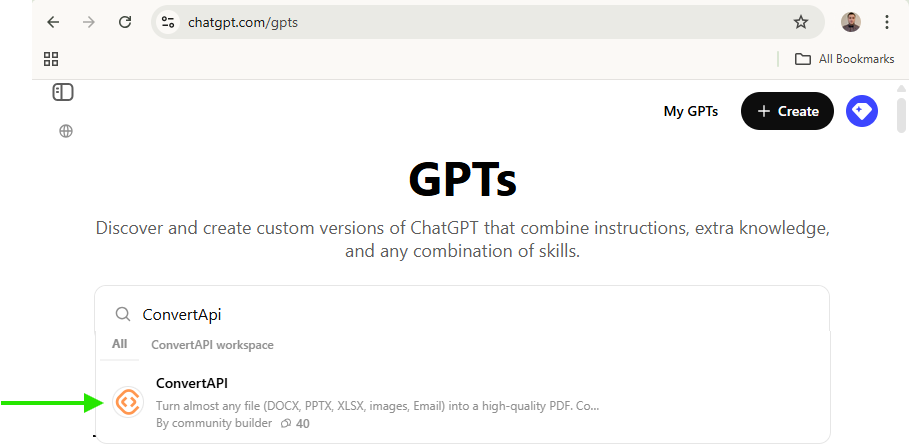
Note: ChatGPT plugins are available only to Plus, Pro, Team, and Enterprise subscribers; they are not offered on the Free tier.
Although the plugin supports only a subset of conversion types and cannot set advanced parameters, it is still a very powerful tool. Thanks to an intuitively designed API with sensible default settings, it can handle many day-to-day challenges.
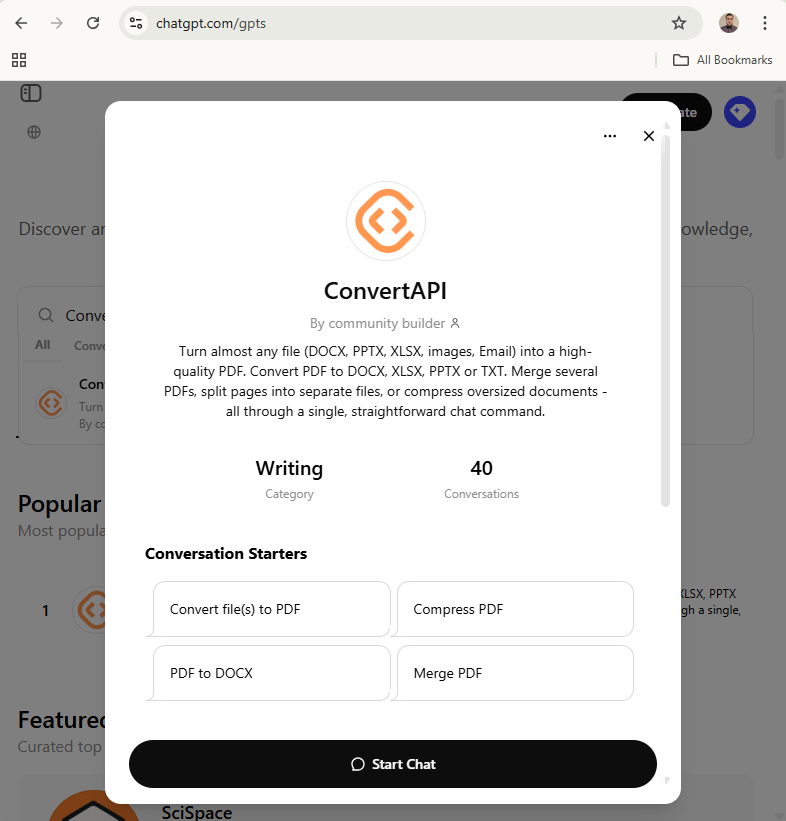
Highlights
- Convert any file (DOCX, XLSX, PNG, and many more) to PDF.
- Convert PDF to DOCX, XLSX, PPTX, or TXT.
- Compress PDF.
- Merge several PDFs into a single PDF document.
- Split a PDF into smaller documents.
- Convert several images into a single PDF.
For advanced parameters and our full product capabilities, we recommend testing conversions in the website playground, for example DOCX to PDF.
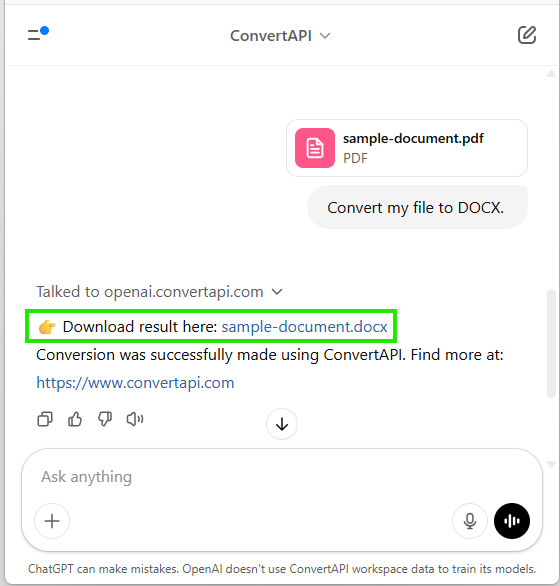
To use it, drag and drop a file into the conversation or paste a public file URL (for example, from Google Drive, an S3 bucket, or another provider) and ask ChatGPT to convert it. ChatGPT will prompt you to confirm the request - simply click Confirm to proceed.
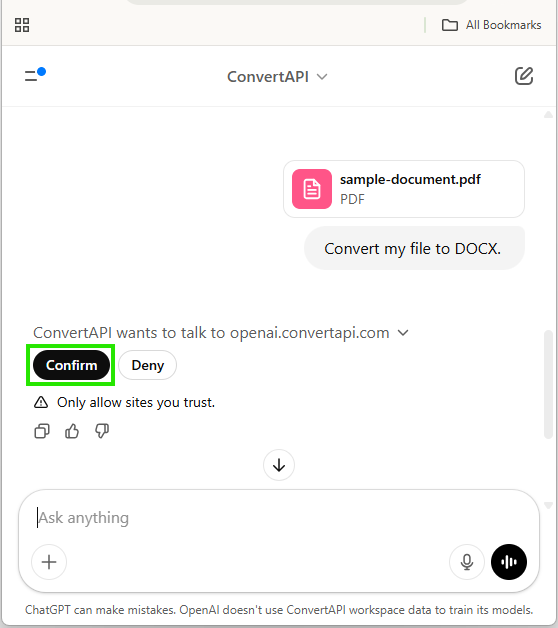
As soon as you click Confirm, your file is converted and the result appears immediately.
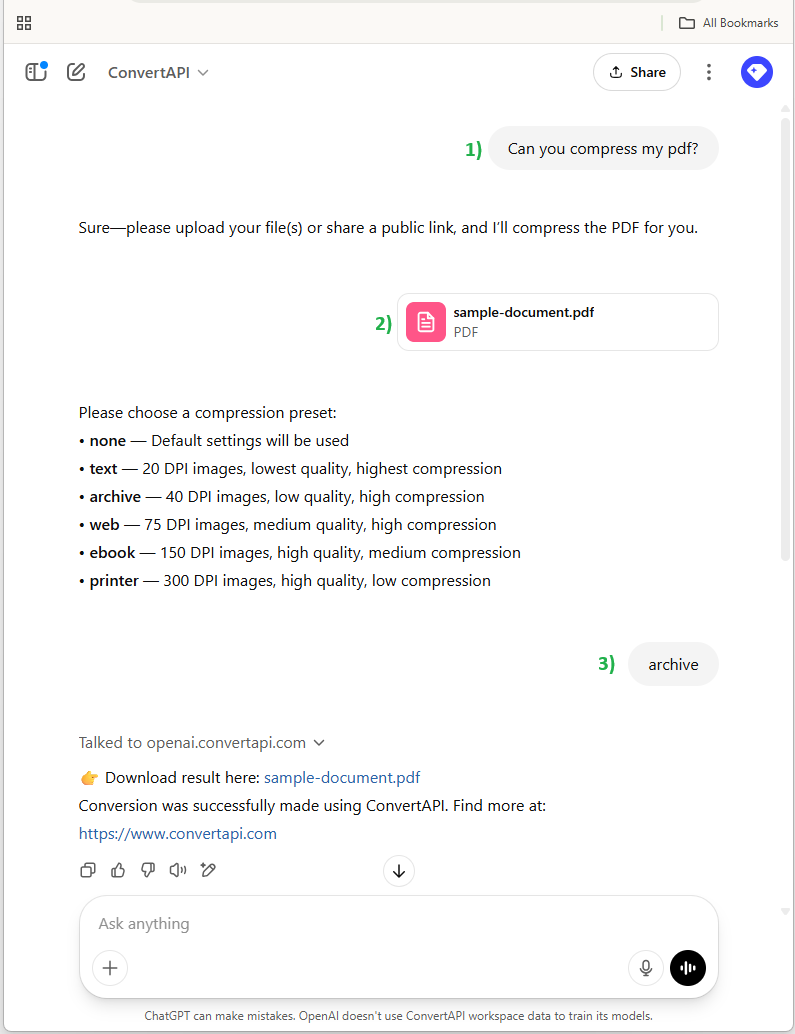
PDF Compress conversions also let you select a compression preset.
You can always ask questions. The plugin is smart - it knows its own capabilities and can search the internet for additional information.