Document Automation Made Simple
Save page as PDF
The PDF button makes it easy for your users to save your web site pages as PDF files. There are two types of button - one for public pages, and another one for private pages.
 Jonas, CTO
PDF button makes it easy for your users to save your web site pages as PDF files. There are two types of PDF button:
Public PDF button can be placed inside pages that are publicly accessible. This button is simple HTML link. If needed link can be styled with the CSS to look like a button.
Please sign in to test this example.
Public PDF button example HTML:
<a onclick="this.setAttribute('href', 'https://v2.convertapi.com/convert/web/to/pdf?auth=your-api-token&download=attachment&url=' + encodeURI(window.location))" href="#">
    Save page as PDF
</a>
Result:
Conversion parameters can be set as a URL query parameters. More information about WEB to PDF conversion parameters can be found in converter page. To hide button itself during conversion use hideelements parameter. This parameter accepts element selector string e.g. to hide button with 'convertapi-btn' class set 'hideelements=.convertapi-btn'.
Private PDF button can be placed inside pages that are not publicly accessible. Pages can be protected with any kind of authentication. All linked resources (JS, CSS, images) inside HTML must be publicly accessible. Button requires JS library though CSS library is optional.
Please sign in to test this example.
Private PDF button example HTML:
<script src="https://cdn.convertapi.com/button.js" data-token="your-api-token"></script>
<link rel="stylesheet" type="text/css" href="https://cdn.convertapi.com/button.css">
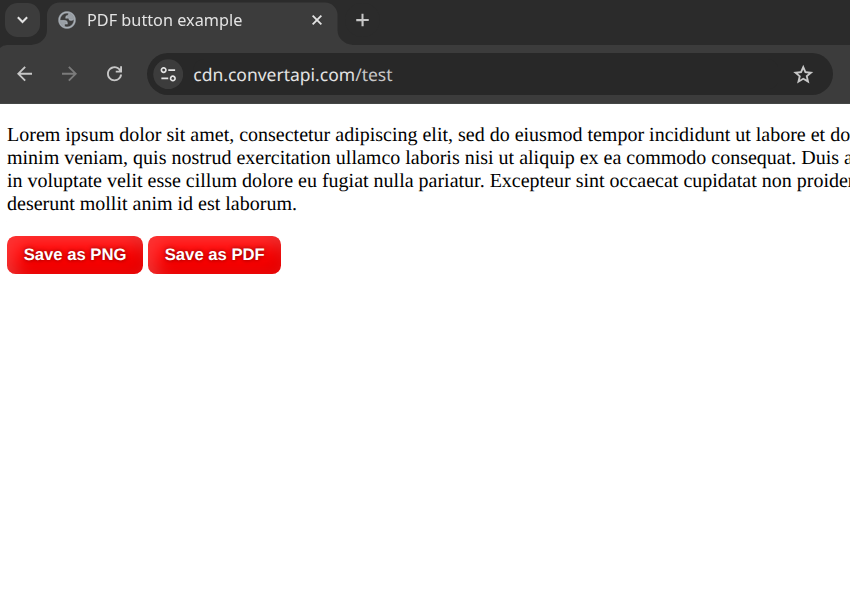
<button class="convertapi-btn">Save page as PDF</button>
Result:
<decode>
<script src="https://cdn.convertapi.com/button.js" data-token="your-api-token"></script>
<button class="convertapi-btn mb-3">Save page as PDF</button>
</decode>Tag includes JavaScript library and it must contain data-token attribute.
Tag must have 'convertapi-btn' class or the one that is set by data-selector attribute of the script tag.